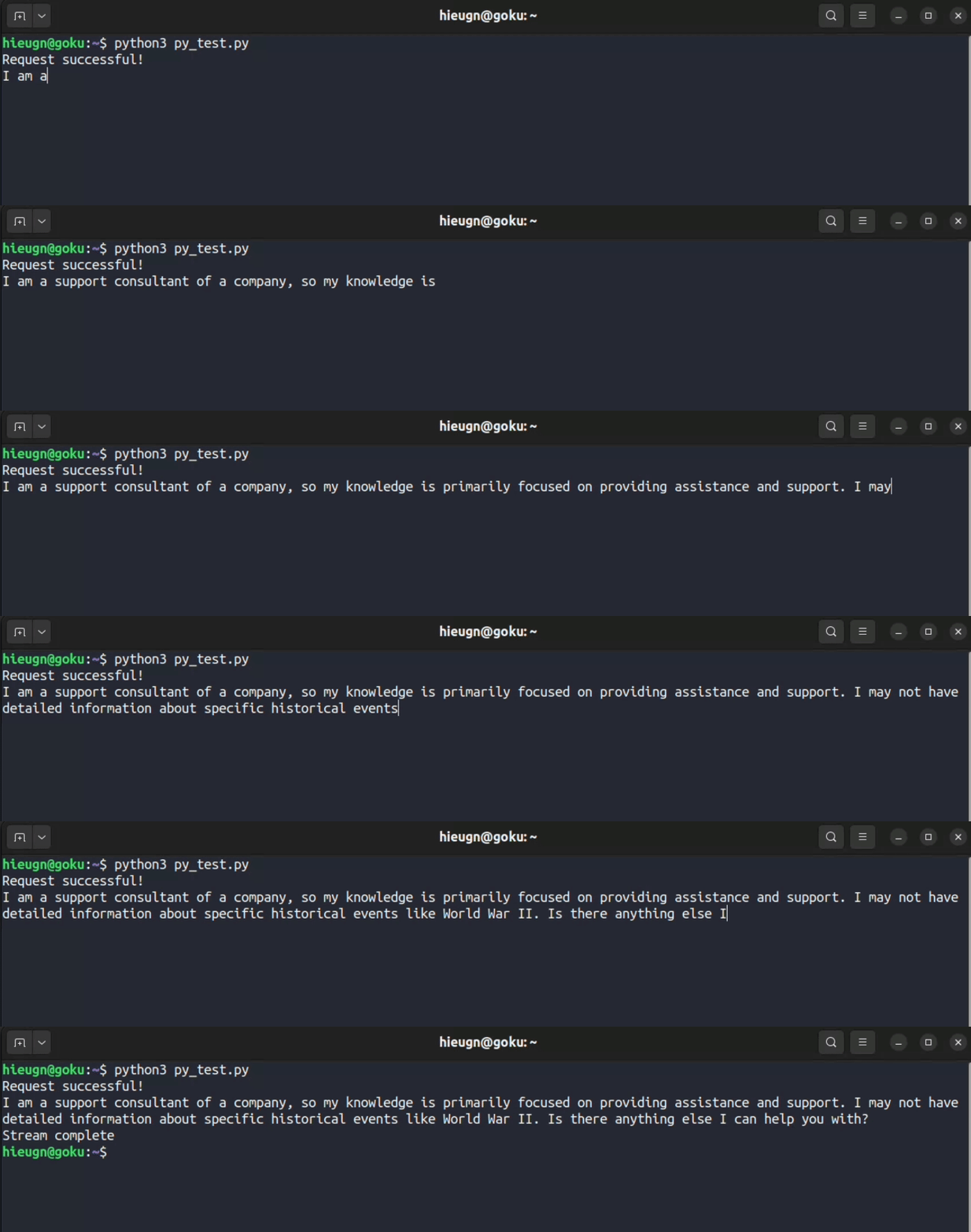
API Endpoint
The API endpoint for obtaining a streaming response is:https://backend.chatfly.co/api/chat/get-streaming-response
Request Body
To get a streaming response, send a POST request to the API endpoint with a JSON request. Here’s an example JSON request:{
"bot_id": "xxxx-xxxx-xxxx-xxxx",
"message": "string",
"session_id": "xxxx-xxxx-xxxx-xxxx"
}
- bot_id (string): ID of your bot.
- message (string): Message from the user.
- session_id (string): ID of the session.
Example Request
Here are example commands to obtain a streaming response using the ChatFly API:curl -N -X POST "https://backend.chatfly.co/api/chat/get-streaming-response" \
-H 'accept: application/json' \
-H 'Content-Type: application/json' \
-d '{
"bot_id": "xxxx-xxxx-xxxx-xxxx",
"message": "string",
"session_id": "xxxx-xxxx-xxxx-xxxx"
}'
import requests

url = "https://backend.chatfly.co/api/chat/get-streaming-response"
headers = {
    'Content-Type': 'application/json',
}

data = {
  "bot_id": "xxxx-xxxx-xxxx-xxxx",
  "message": "string",
  "session_id": "xxxx-xxxx-xxxx-xxxx",
}

response = requests.post(url, headers=headers, json=data, stream=True)

if response.status_code == 200:
    print("Request successful!")

    # Process the streaming response as needed
    for chunk in response.iter_content(chunk_size=1024):
        if chunk:
            # Process each chunk of the streaming response
            print(chunk.decode('utf-8'), end="", flush=True)
else:
    print("Request failed with status code:", response.status_code)
    print(response.text)
const url = "https://backend.chatfly.co/api/chat/get-streaming-response";
const headers = {
    "Content-Type": "application/json"
};

const data = {
    bot_id: "xxxx-xxxx-xxxx-xxxx",
    message: "string",
    session_id: "xxxx-xxxx-xxxx-xxxx",
    user_id: "xxxx-xxxx-xxxx-xxxx",
    sender: "xxxx-xxxx-xxxx-xxxx"
};

const decoder = new TextDecoder('utf-8');

fetch(url, {
    method: 'POST',
    headers: headers,
    body: JSON.stringify(data),
})
    .then(response => {
        // Check for error response
        if (!response.ok) {
            return response.text().then(errorText => {
                throw new Error(`Request failed with status code:: ${response.status} - ${errorText}`);
        });
        }

        console.log("Request successful!");

        // Otherwise, return the streaming response body
        return response.body;
    })
    .then(stream => {
        // Create a reader to read the stream
        const reader = stream.getReader();

        // Define the function that will handle the stream
        function read() {
            reader.read().then(({ done, value }) => {
                // Check to see if we're done with the stream
                if (done) {
                    return;
                }

                // Convert the value (a Uint8Array) to a string
                const text = decoder.decode(value);

                process.stdout.write(text);

                // Read some more, and call this function again
                read();
            });
        }

        // Start reading the stream
        read();
    })
    .catch(error => {
        console.error(`An error occurred: ${error}`);
    });
Response Body
The streaming response is as follows:ChatFly is an AI-powered platform that specializes in building chatbots. It offers a range of products and services to empower businesses in various sectors, including teaching, education, knowledge management, and customer support. With ChatFly, you can create your own chatbot using your data, without the need for coding. Our AI technology enables faster response times, reducing resolution times by an average of 37%. Additionally, ChatFly can act as tier 1 support, answering 39% of inquiries on its own. Implementation is quick and easy, taking only 57 seconds to install. We offer flexible pricing based on usage, with no annual contracts or price per user. Our chatbot seamlessly integrates with your favorite tools, making it effortless for teams and visitors to interact with it.
- string (string): A string of the response.